
EGY DEAD is a Flutter movie and TV-series discovery app for Android and iOS, built on the TMDB API. It lets viewers browse curated rails (now playing, popular, top rated, upcoming, on-the-air, airing today), open a full details page for any title — cast, reviews, ratings, genres, runtime, seasons, trailer — and search across movies, series and people from one field. Features a dark-only Arabic/English UI, offline detection, and a Firebase Remote Config-driven "new version available" prompt.
What the app does
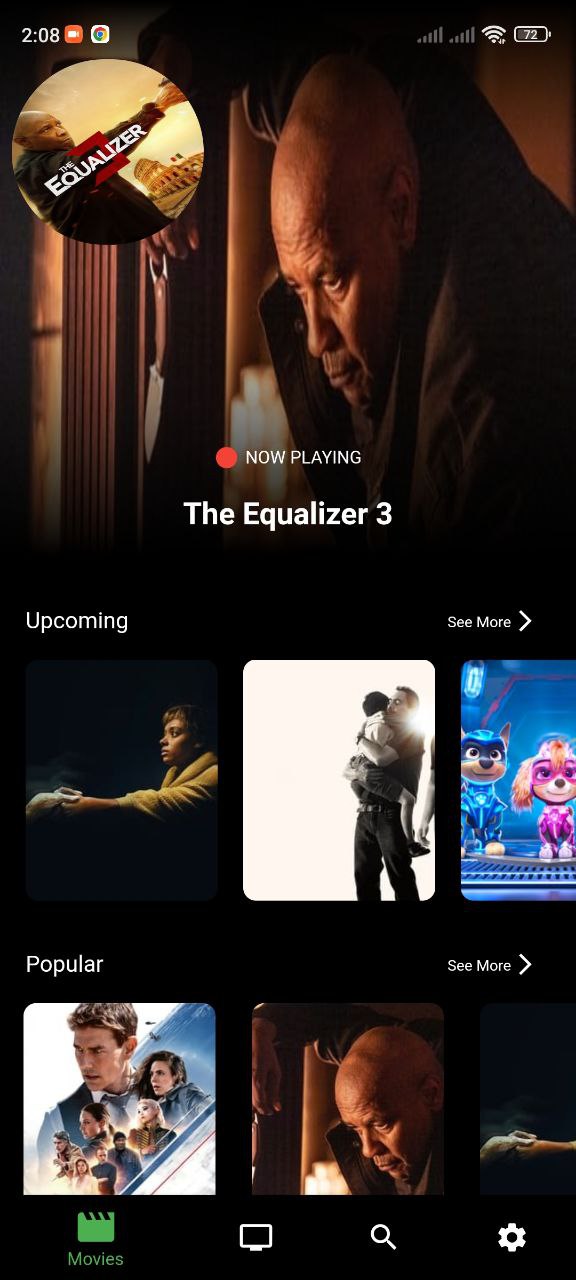
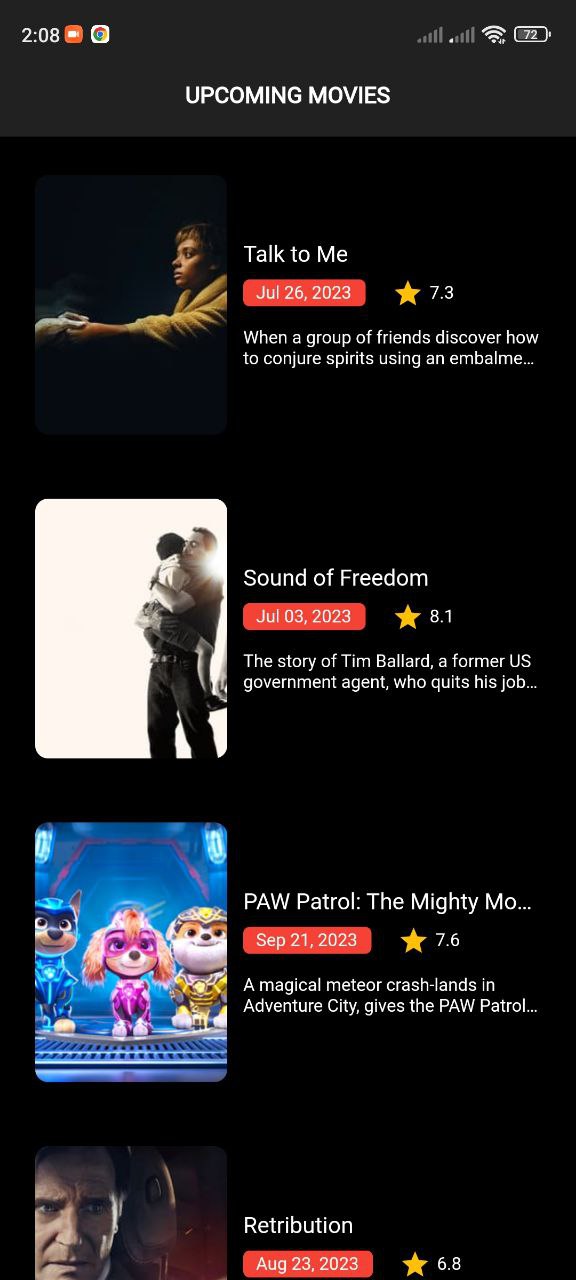
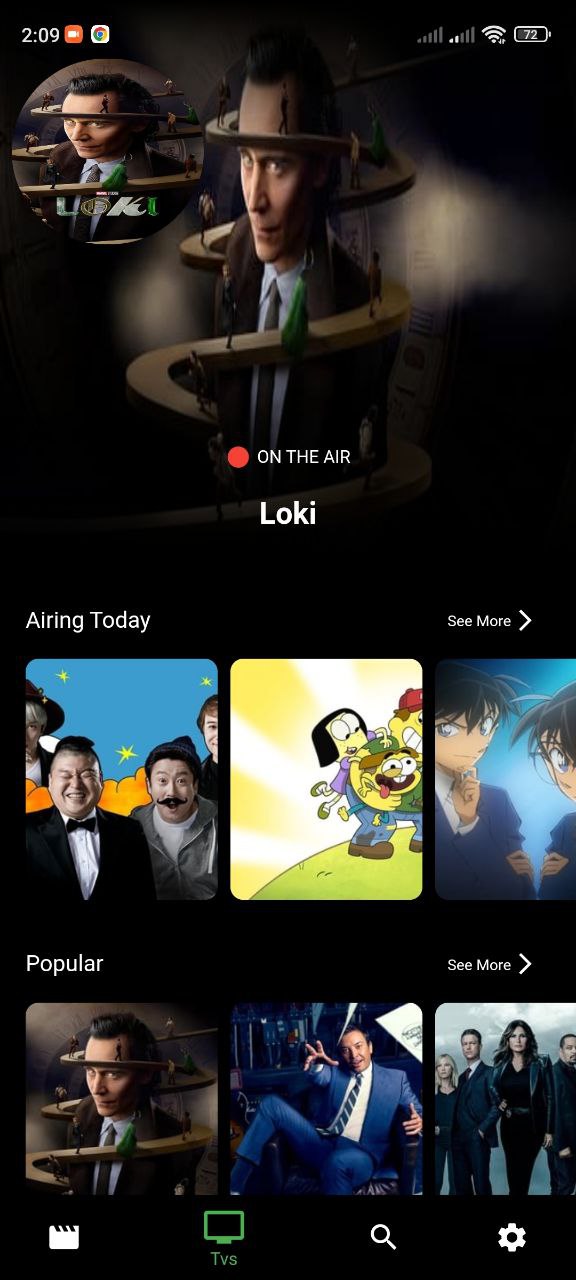
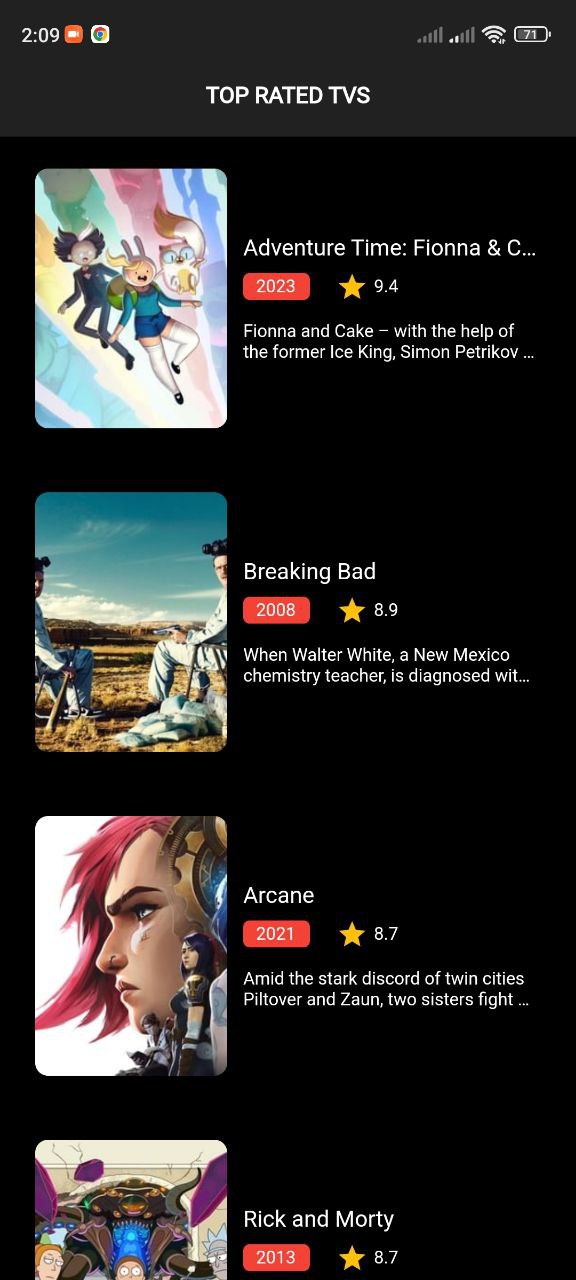
Now Playing carousel plus Popular, Top Rated and Upcoming horizontal rails, each with a paginated 'see more' screen that loads further TMDB pages on scroll.
A parallel TV module with On The Air, Airing Today, Popular and Top Rated sections, plus per-series season listings.
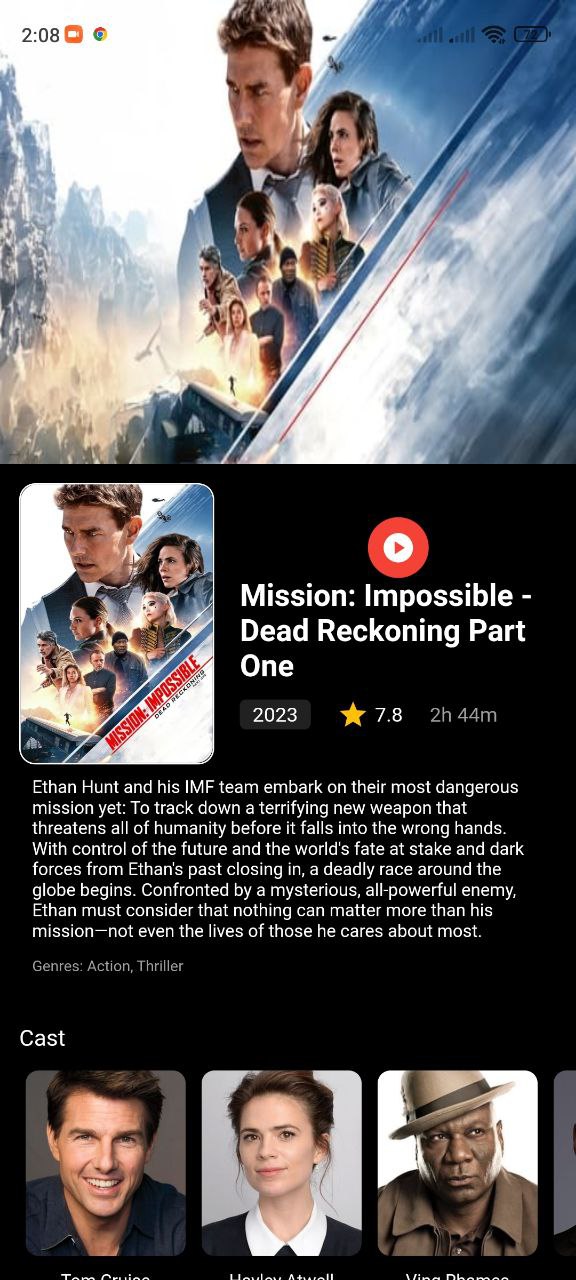
Details screens pull cast, user reviews, rating, runtime, genres, release date, recommendations and similar titles in a single append_to_response call.
Searches TMDB's /search/multi endpoint across movies, series and people, with a 400ms debounce and switchMap so in-flight requests for stale keystrokes are dropped.
Extracts the trailer key from the TMDB videos payload and opens it externally via url_launcher, hiding the button when a title has no trailer.
An InternetCubit listens to connectivity_plus and holds the app on an offline screen with a snackbar until a connection is available.
Every rail and details section renders a Skeletonizer placeholder while loading and a dedicated error widget on failure, instead of a bare spinner.
Firebase Remote Config publishes the latest version string; the app compares it against its own package version and offers an update dialog.
A shared CachedImage wrapper handles TMDB poster/backdrop/avatar loading with cached_network_image, spinkit placeholders and fallback art.
In-app policy link, support screen, and version info read from package_info_plus.
How it's built
The app follows Clean Architecture, split by feature rather than by layer: movies/, tv/ and search/ each contain their own data (models, remote data source, repository implementation), domain (entities, abstract repository, use cases) and presentation (bloc, screens, widgets) folders, with everything cross-cutting living under core/ and the shell under layout/.
State management is BLoC — flutter_bloc with plain Bloc/Cubit, not Provider or Hydrated storage. Each feature has a coarse-grained bloc (MoviesBloc, TvsBloc, MoviesDetailsBloc, TvsDetailsBloc, SearchBloc) holding a single Equatable state object with per-section RequestState enums updated through copyWith, so one screen can show four rails in four independent loading states. Dependency injection is get_it, and errors are modelled functionally with dartz — data sources throw ServerException, repositories convert it to Either
See it in action
Real engineering challenges
The InternetCubit originally emitted "connected" only when connectivity_plus reported mobile or Wi-Fi, and treated everything else as lost. Because the whole app is gated behind that state, any other connection type fell through to the offline branch. The fix inverted the condition to test for ConnectivityResult.none and treat every other result as connected.
The see-more screens page through TMDB by firing a fetch-more event when the scroll controller reaches the bottom. Initially a failure on page N reused the same error state as the initial load, so one bad request replaced an already-populated list with a full-screen error. A distinct fetchMoreError value was added to the state, so loaded items stay on screen and the error is surfaced in place instead.
The TV screen created its own BlocProvider inside the route, which meant the bloc was rebuilt every time users moved through the bottom navigation. The provider was lifted up to where the movies and TV screens are constructed once with their initial events dispatched, so tab switching no longer tears down and refetches feature state.
Tapping a poster in the now-playing carousel silently did nothing. The tap handler referenced the navigation function without actually calling it, so the route was never pushed. Adding the missing parentheses restored navigation to the details screen.